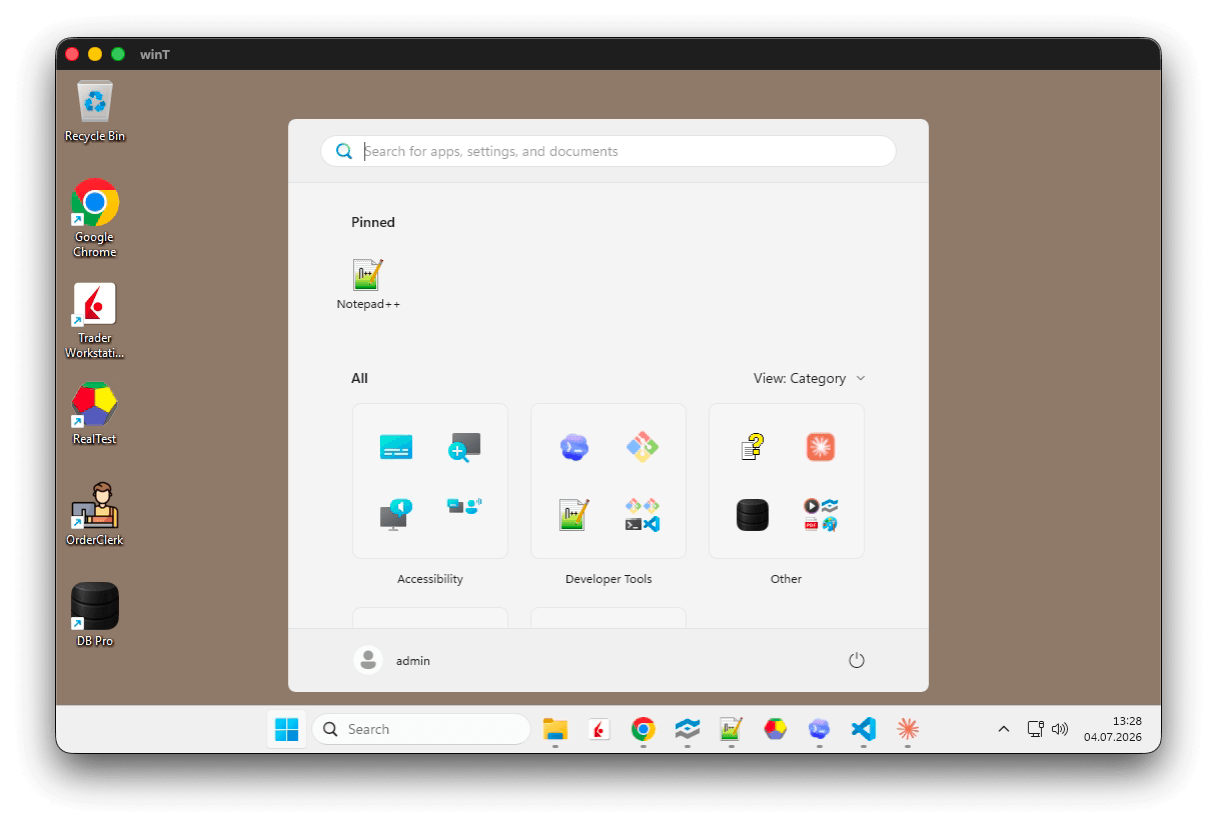
A remote Windows 11 desktop in a plain macOS window

RDP123 lives in the menu bar and opens a clean remote window: nothing but the native title bar and your Windows desktop. Pick a saved connection and you're in.

Native and small on purpose

No Electron, no web view, no bundled browser: a real AppKit app written in Rust, a few megabytes on disk, near-zero idle footprint. The installed app is about 8 MB - Microsoft's Windows App installs at over 200 MB, Remote Desktop Manager at close to a gigabyte (as installed, mid-2026). Fewer features, deliberately: the ones you use every day, in a fraction of the footprint.

Installed size comparison: RDP123 8 MB, Microsoft Windows App 228 MB, Remote Desktop Manager 993 MB

Built for low latency

  • Immediate paint: the first update after quiet is drawn right away, so typing and cursor feedback carry no artificial delay; only bursts are coalesced (sustained streams still reach 120 fps on ProMotion displays).
  • Dirty-region tracking end to end: a keystroke syncs kilobytes, not the whole screen.
  • Zero-copy presentation: frames live in pooled IOSurfaces that CoreAnimation binds directly as GPU textures - the same technique Chromium and mpv use.
  • Native cursor shapes: resize arrows, I-beam and hand follow the remote UI, applied to the macOS cursor with zero compositing lag.
  • Two graphics pipelines: the proven Classic (RDP 6.1) mode by default, and the full RDP 8 pipeline (H.264/AVC420, RemoteFX Progressive, ClearCodec) selectable per connection.

Features

  • Lives in the menu bar - click, pick a connection, connect
  • Remote resolution follows the window, including Retina/HiDPI, or pin a fixed size
  • Shared clipboard in both directions - including files: paste Finder files into the remote Explorer and back, streamed on demand with no size limit
  • Remote sound on your Mac, per connection
  • Wake on LAN - optionally store the host's MAC address and RDP123 wakes the machine before connecting
  • Keep session awake - an optional invisible key tap while you are idle, so an idle-timeout policy does not disconnect you
  • Physical-scancode keyboard mapping for non-US layouts (e.g. Swiss German) - modifiers never get stuck
  • Simple native Settings window: connections, colour depth, scaling, full screen, auto-reconnect
  • SSH shortcuts alongside RDP, opened in your terminal of choice
RDP123 settings window with connection list and editor

Secure by design, private by default

  • Passwords live only in the macOS Keychain (or choose "always ask" and nothing is stored)
  • Server keys are pinned on first use, before any credentials are sent
  • No telemetry, no accounts, no listening ports
  • You build and sign the app yourself, so you know exactly what runs

Requirements & install

macOS 11 or newer (Apple Silicon or Intel), Xcode Command Line Tools, and Rust 1.89+. There is deliberately no prebuilt download - you build the app on your own Mac in three commands and a couple of minutes. A locally built app never gets the quarantine flag, needs no Apple account, and came from the source in front of you.

The full build guide, usage notes, and security details are in the README on GitHub.

Get RDP123

Free software under the AGPLv3.

View on GitHub All Apps